How to start receiving web push notifications in the Web Wallet?
Last updated: April 18, 2026
Push notifications
It's hard to constantly keep an eye on your Safe Account and it's easy to miss a confirmation request. However, with push notifications, it's not possible to see when a transaction is executed, funds are received or a confirmation is required.
How do I enable push notifications?
If you already have Safe Account(s) added, you'll greeted by a banner that allows you to enable all push notifications. Alternatively, you can customize these settings per Safe. In the Safe settings, you can adjust which types of notification you want to see, as well as enable/disable push notifications altogether.
Alternatively, you can enable/disable notifications for some or all added Safes via the global preferences of the Safe{Wallet}. By clicking “Preferences” in the footer of the Safe{Wallet}, you can then access the "Notifications" settings.
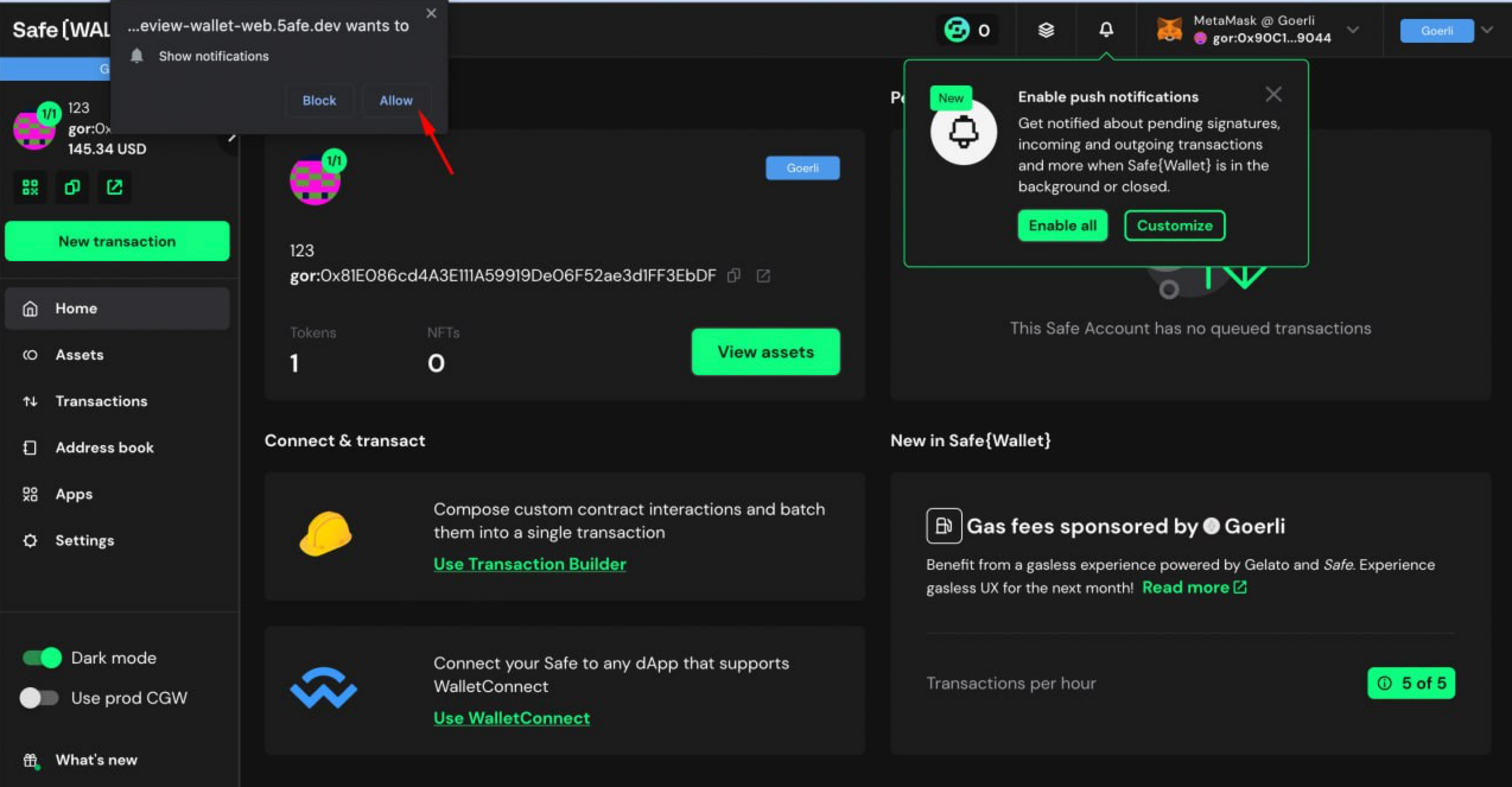
When enabling notifications, you will first be prompted for permission by your browser. By accepting this, it allows us to show push notifications via your browser.
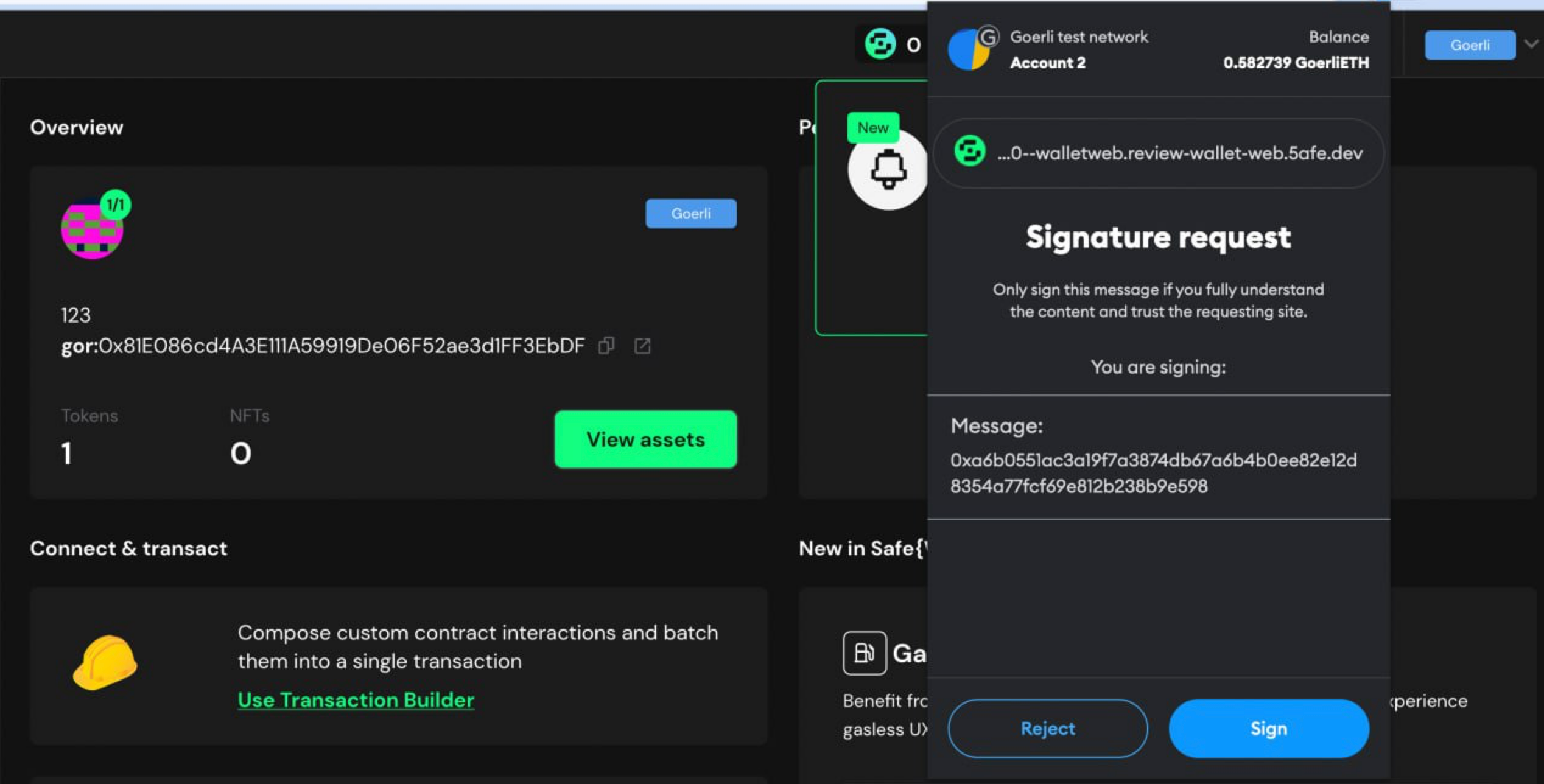
Please note: enabling notifications, specifically “Confirmation requests” requires you to verify your ownership per Safe with a signature. If you are not the owner of that Safe you will not receive confirmation requests, even if the option is enabled.
This action happens offchain and requires no gas fees.
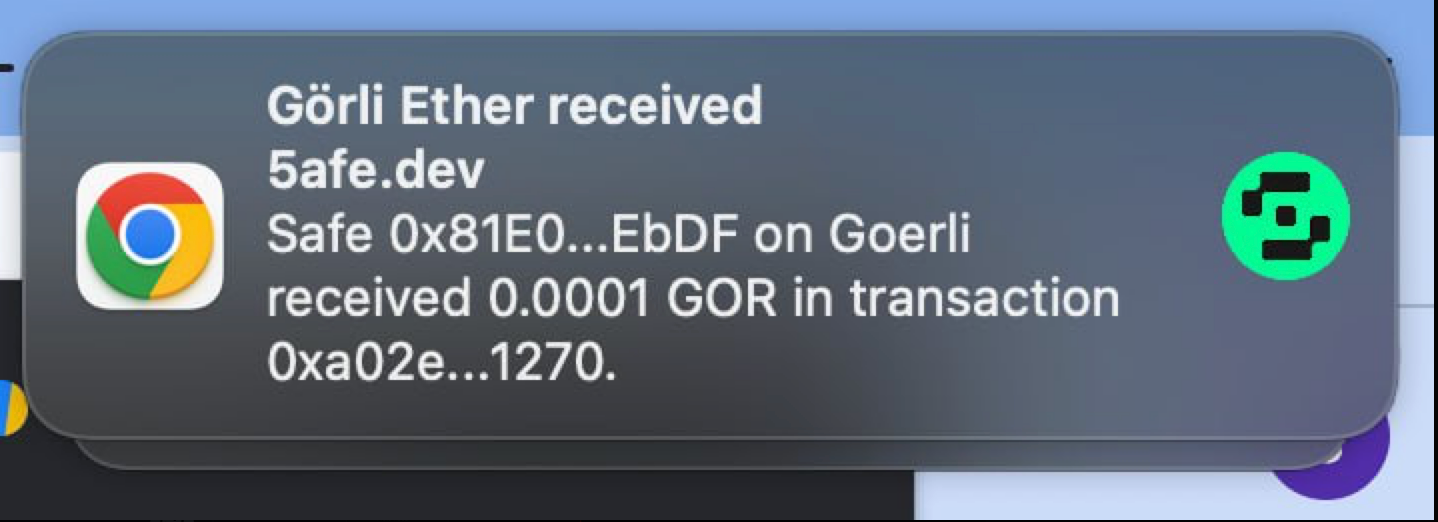
That’s the example notification you’ll get. Click on it to view the transaction.
I don’t see a notification permission prompt
This might happen because of a few reasons.
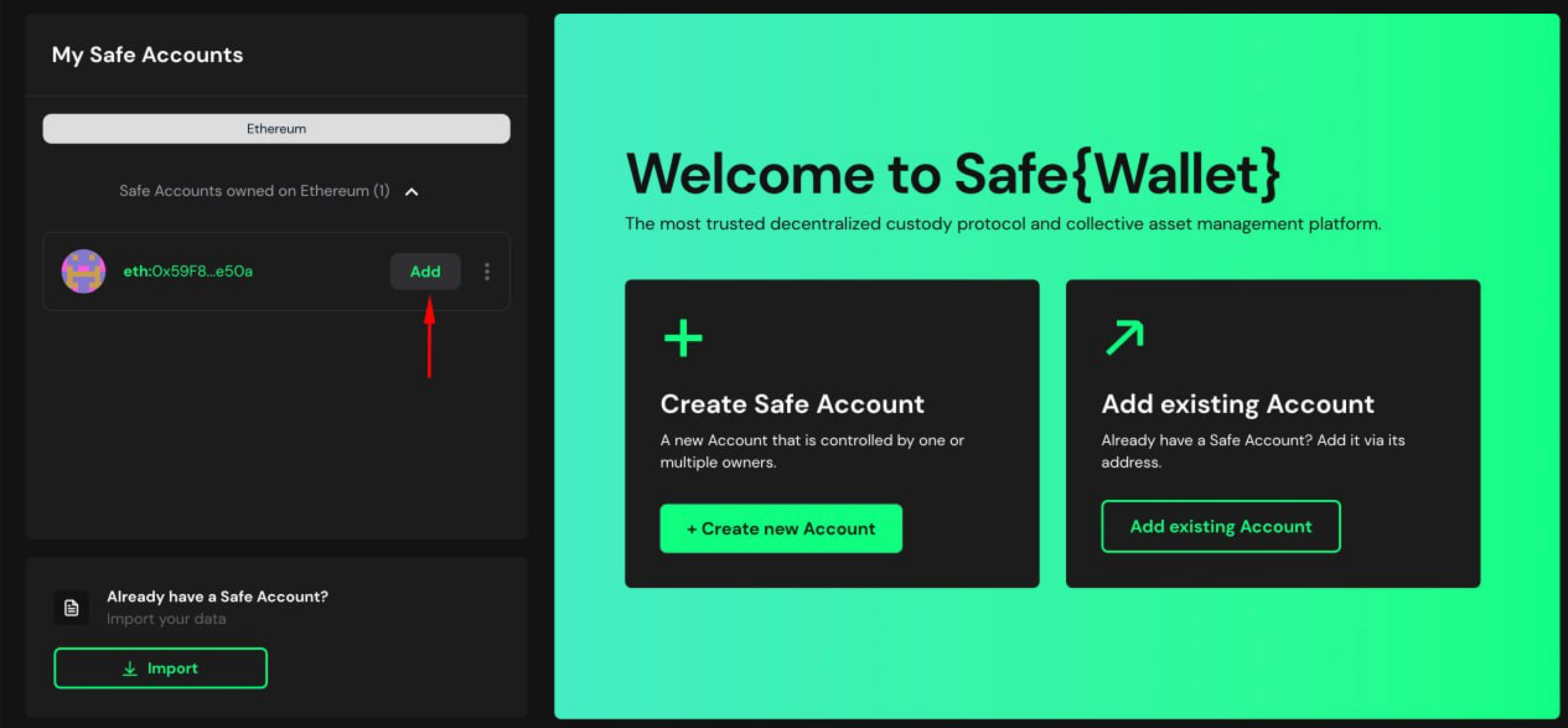
If you are importing a Safe in a new browser, make sure that you have added your Safe by clicking here. (Notifications can only be received for added Safes.)
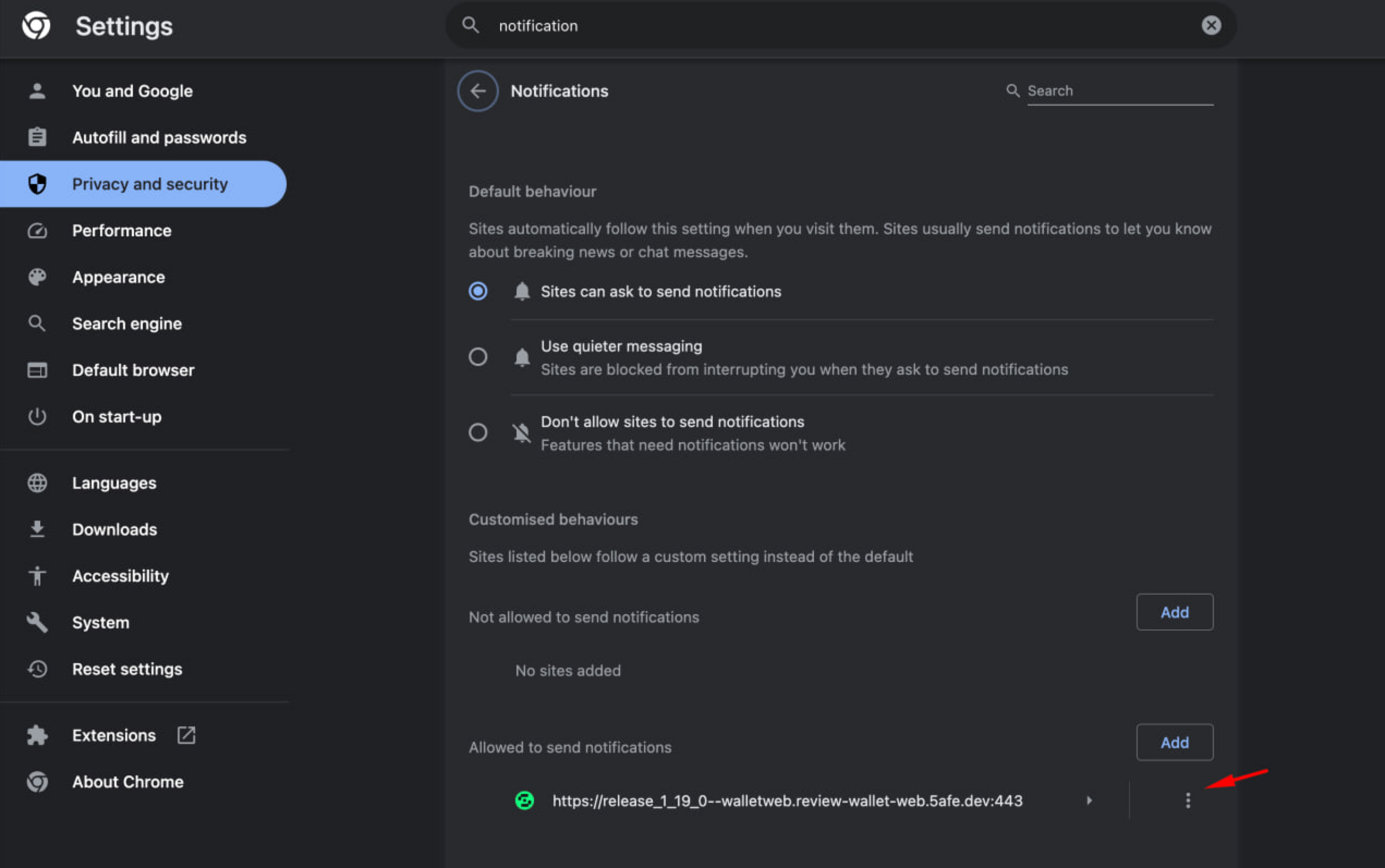
In Chrome, double check that the “Sites can ask to send notifications” in the relevant section (“More” > “Settings” > “Privacy and security” > “Notifications”).
You might also want to ensure that Safe is present in the “Allowed to send notifications” list below.
I’ve enabled notifications but I can't see them
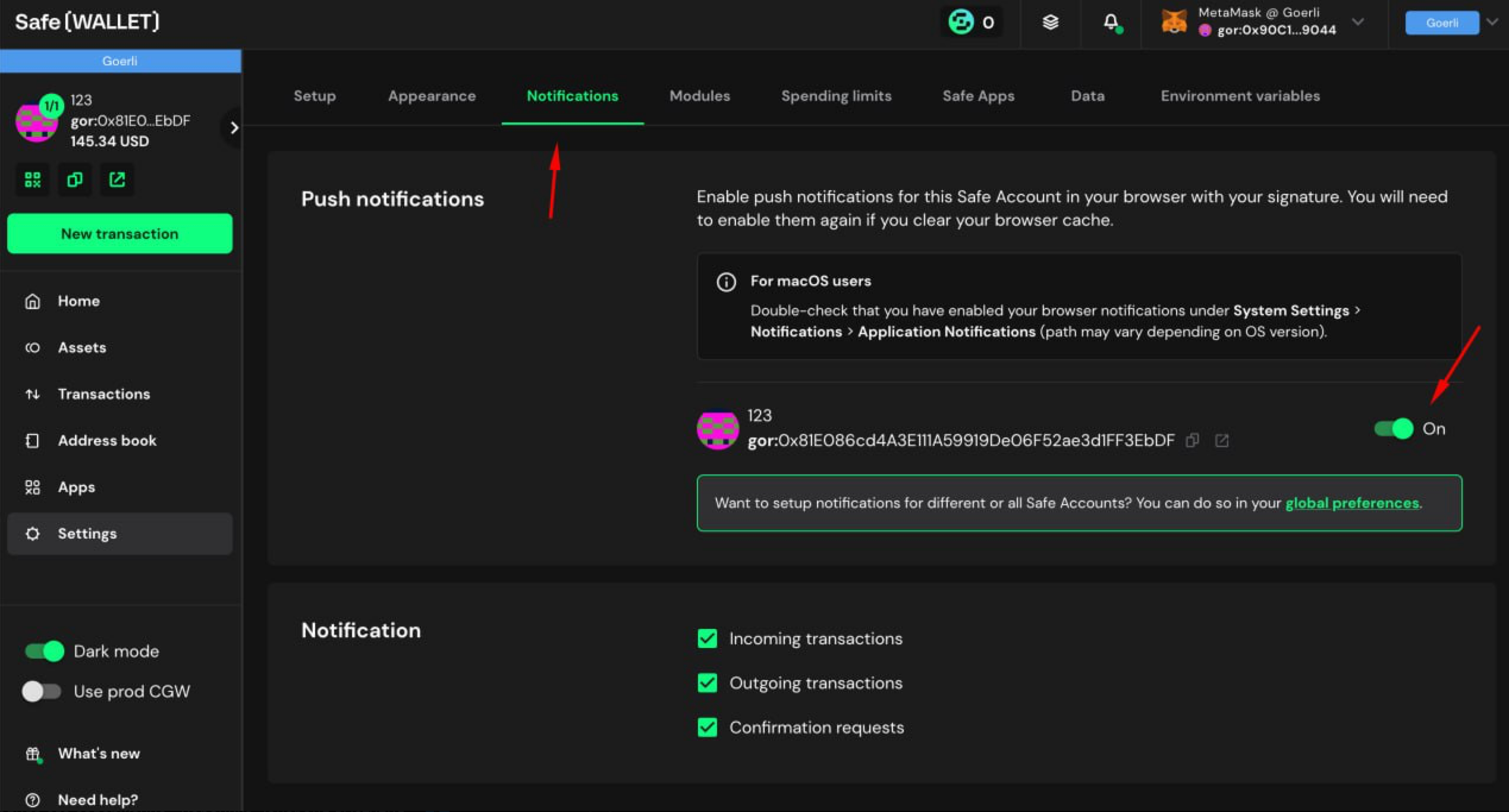
First, check the “Settings” > “Notifications” section in the Safe{Wallet} to ensure that:
The notifications are enabled.
The desired notifications type is enabled (see the checkboxes below).
If the settings show that notifications are enabled, it's important to ensure that your browser notification permissions are enabled (see futher above). If permissions are granted, it's likely that your system settings are preventing notifications from being displayed.
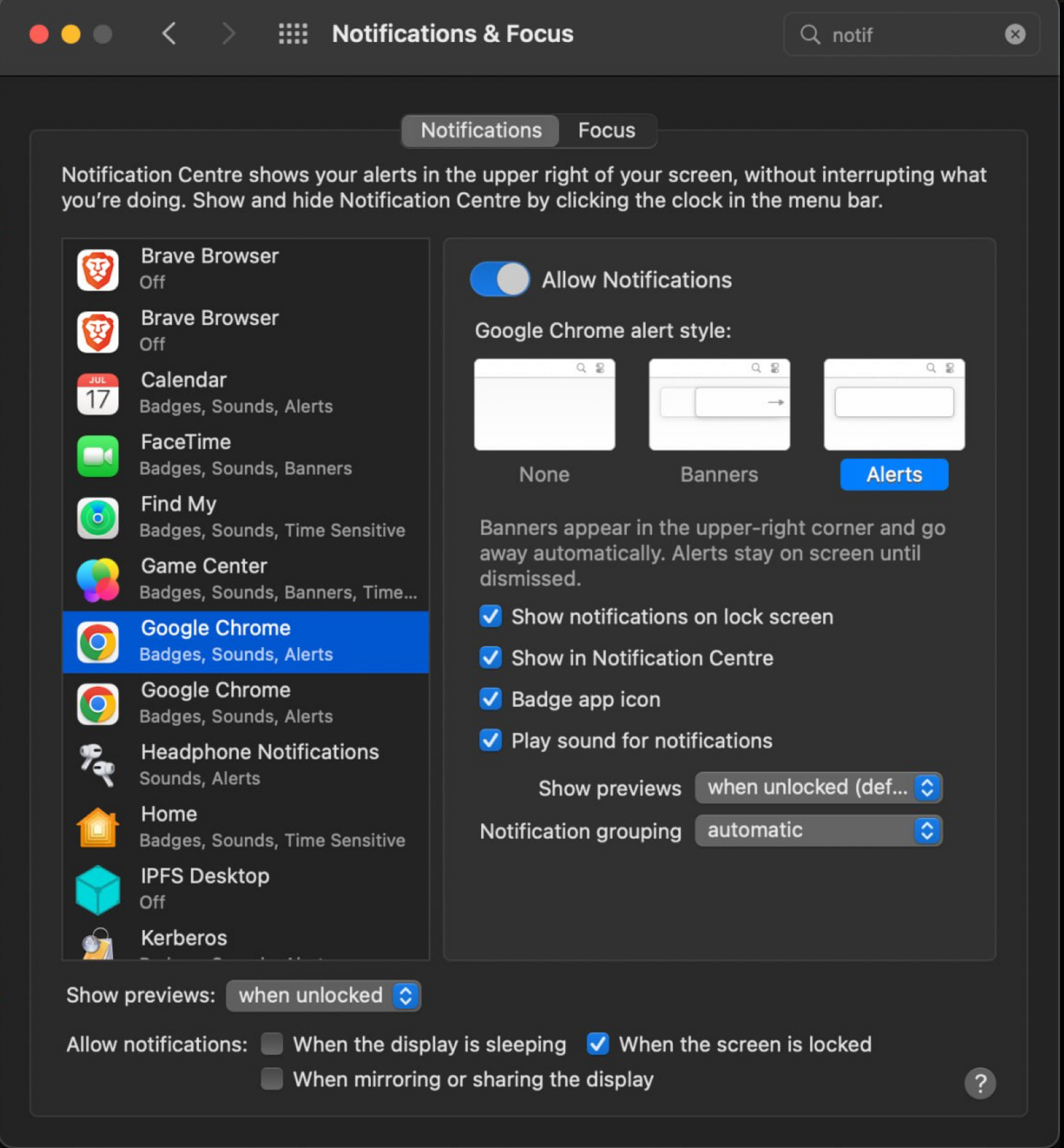
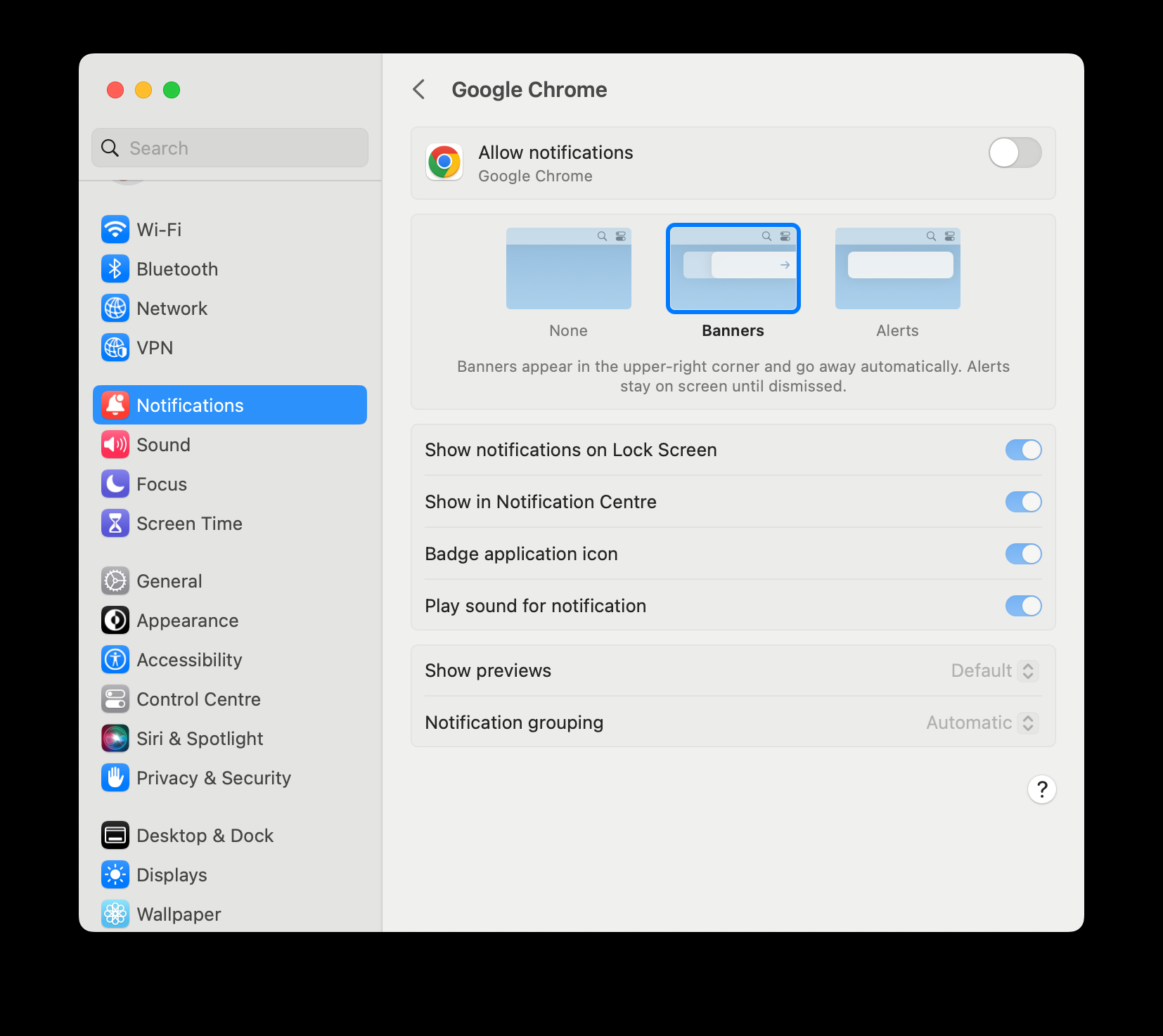
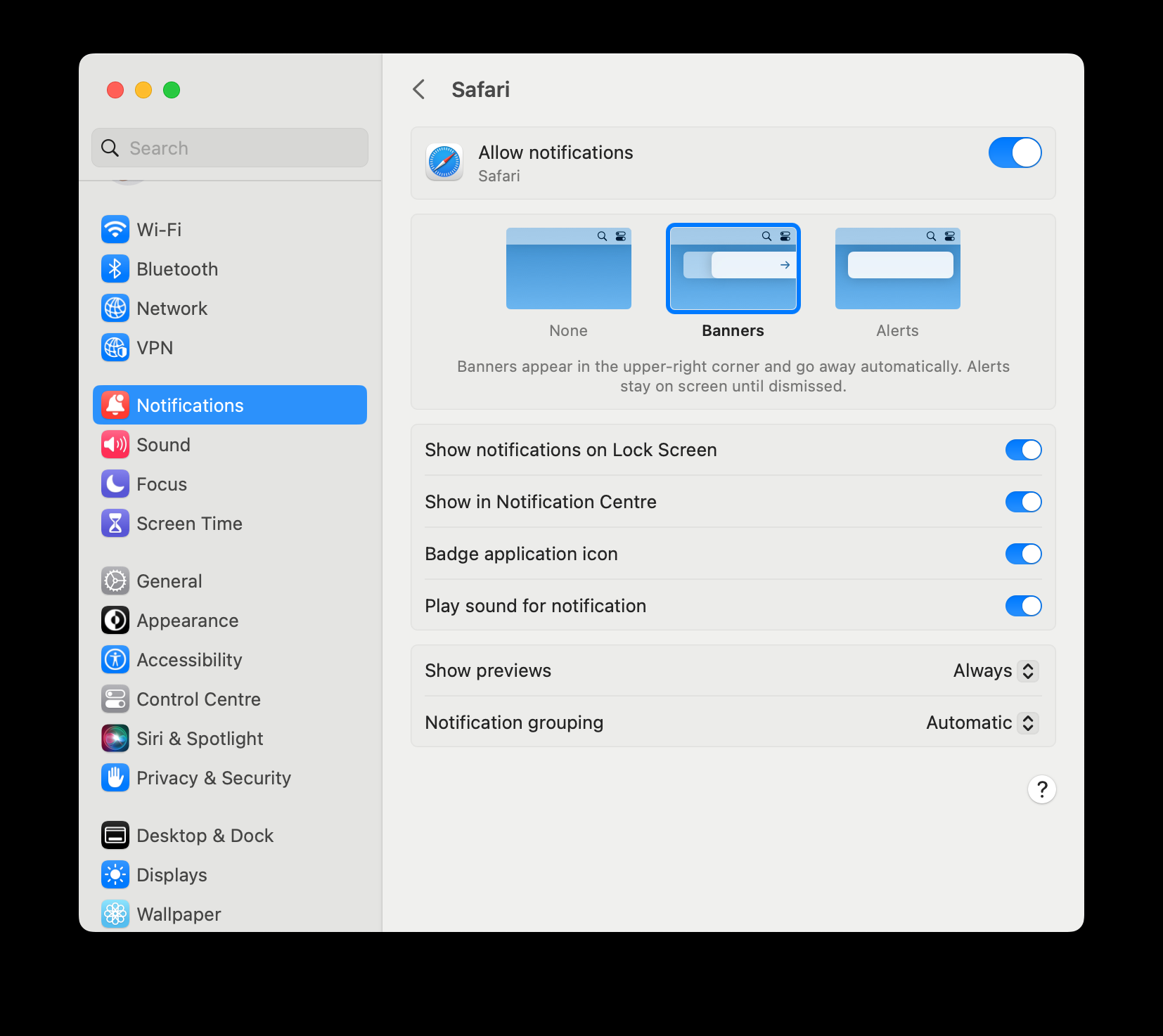
If you are using macOS, you can enable notifications for your preferred browser in the “Notifications” section of the “System Settings”.
For Chrome, you’ll need to enable the notifications twice (there are 2 Chrome-related items in the list of apps).
That’s how it looks for Chrome in MacOS Ventura:
Safari settings in MacOS Ventura:
MacOS Monterey: